Seamless Floral Pattern SVG: The Smart Designer's Guide to Flawless Repeats
There is a distinct satisfaction in finding a background that simply works. It flows without interruption, scales without pixelation, and adds a touch of botanical elegance to a project without demanding constant adjustments. This is the promise of a Seamless Floral Pattern SVG. Unlike static raster images that struggle when stretched or tiled, these vector files offer a level of flexibility that is essential for modern design workflows. Whether you are creating a website header, designing fabric for a small clothing line, or crafting digital stationery, understanding how to leverage this format correctly can save you hours of frustration and ensure your final output looks professional.
However, the sheer availability of these assets online often leads to hasty decisions. Many creators download the first "free floral pattern" they find, only to discover later that it lacks true seamless properties or contains elements that do not scale well for their specific medium. The difference between a polished, cohesive design and one that looks amateurish often lies in the technical details of the file itself. Let’s explore what makes these patterns valuable, where things commonly go wrong, and how to make choices that serve your project best.
Understanding the Value of Vector Botanicals
A Seamless Floral Pattern SVG is more than just a pretty picture; it is a mathematical description of shapes, lines, and curves. The "SVG" stands for Scalable Vector Graphics, which means the image is resolution-independent. You can shrink it to fit a mobile icon or enlarge it to cover a billboard, and the edges will remain crisp. This is a critical advantage over JPEG or PNG formats, which rely on pixels and will inevitably blur or become blocky when resized significantly.
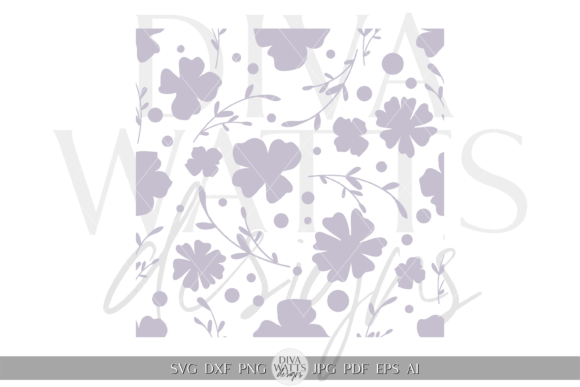
The "seamless" aspect refers to the way the design is constructed. In a truly seamless pattern, the left edge matches the right edge, and the top edge matches the bottom edge perfectly. When you tile this image—repeat it side-by-side and up-and-down—the human eye cannot detect where one instance ends and the next begins. This creates an infinite, continuous field of flowers, leaves, or vines. For web designers, this allows for lightweight backgrounds that load quickly. For textile artists, it ensures that the print runs smoothly across the entire width of the fabric without awkward breaks in the motif.
Common Pitfalls When Choosing and Using Patterns
Despite the clear benefits, several misunderstandings persist regarding how these files function. One of the most frequent errors is assuming that any floral image labeled as "seamless" is actually seamless in practice. Sometimes, a creator tiles an image in Photoshop and exports it as a PNG, then mistakenly labels it as an SVG or claims it has vector capabilities. If you attempt to edit such a file in vector software, you may find it is merely a flattened image trapped inside an SVG container. This defeats the purpose of scalability and limits your ability to customize colors or individual elements.
Another overlooked detail is the complexity of the pattern relative to its intended use. A highly intricate floral design with hundreds of tiny petals might look stunning on a large screen or a printed poster. However, if you apply that same dense pattern to a small button on a mobile app or a thin strip of ribbon, the details can become muddy and indistinguishable. The visual noise created by excessive detail at small scales can distract from the user interface or ruin the aesthetic of a delicate product.
Furthermore, many users fail to consider the color profile before purchasing or downloading. Digital screens use the RGB color model, while print uses CMYK. While SVG files are primarily designed for screen display, some contain embedded color data that does not translate well to print presses. If you are planning to use a floral pattern for physical goods like wrapping paper or t-shirts, relying solely on a web-optimized SVG without checking the color definitions can lead to disappointing results where vibrant greens turn dull or bright pinks shift to unexpected hues.
How These Mistakes Impact Your Results
The consequences of these oversights extend beyond minor visual glitches. Using a non-vector "fake" SVG forces you to start over when you need to resize the asset, wasting valuable time and potentially delaying project launches. Applying a pattern that is too dense for the medium can degrade the user experience, making text hard to read or causing the design to feel cluttered and unprofessional. In the case of print projects, color mismatches can result in wasted materials and increased costs, as reprints are rarely free. Ultimately, these issues erode the quality of your brand presentation and can undermine the trust your audience places in your work.
Practical Steps for Better Decision Making
To avoid these pitfalls, adopt a more investigative approach when selecting a Seamless Floral Pattern SVG. Before you download or buy, verify the file structure. If possible, open the file in a vector editor like Adobe Illustrator, Inkscape, or even a browser's developer tools. Look for paths and anchor points rather than a single raster image. True vector files should allow you to select individual flower stems or leaves and change their fill colors instantly. If you cannot manipulate the elements, it is likely not a true vector file.
Consider the scale of your application early in the process. If you are designing for textiles, ask yourself how the pattern will look when repeated over yards of fabric. A good rule of thumb is to test the pattern at 50% and 200% of its original size. Does the design hold up? Do the lines remain clean? If the pattern becomes a blur or loses its definition, it may be too complex for your needs. Sometimes, a simpler, more stylized floral motif is far more effective than a hyper-realistic one, especially for small-scale applications.
For those working in print, always check the color mode. While SVGs are typically RGB, you can convert them to CMYK within your design software before sending them to print. However, it is better to source patterns that are already optimized for your workflow. Many professional marketplaces now offer dual-format downloads or specify whether a pattern is screen-ready or print-safe. Reading the product description carefully for these details can prevent costly errors down the line.
Evaluating Quality and Usability
When comparing different options, look beyond the thumbnail preview. High-quality seamless patterns often come with documentation or sample tiles that show exactly how the repeat works. Check the edges of the preview image. Are there obvious cut-offs or harsh lines? A well-crafted pattern will have soft transitions that blend naturally. Additionally, consider the licensing terms. Just because a file is free does not mean you can use it for commercial products without attribution or restrictions. Always review the license agreement to ensure your intended use—whether it's a blog post, a client website, or a product for sale—is permitted.
Finally, remember that customization is a key strength of the SVG format. Don't be afraid to tweak the pattern to fit your brand identity. Changing the hue of the flowers to match your company colors or removing certain elements to create negative space can transform a generic stock image into a unique asset. By taking the time to evaluate the technical integrity of the file and understanding how it behaves in your specific context, you ensure that your Seamless Floral Pattern SVG serves as a foundation for excellence rather than a source of frustration.